Monday, 28 November 2011

Film project

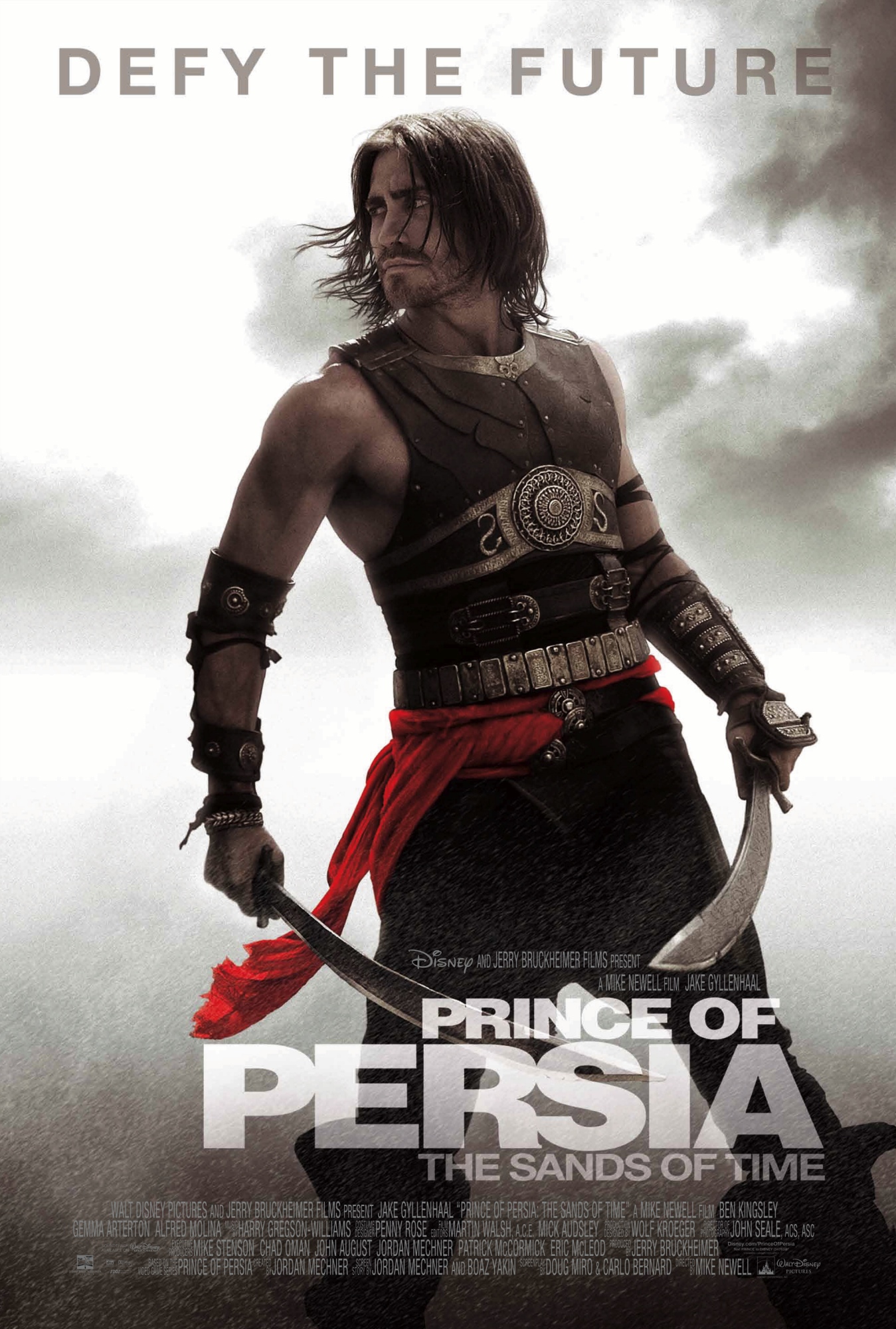
On Saturday the 26th I chose to create a website for the film released in 2010. Prince of Persia.
A title well known for the video games series. Because I am also a fan of video games and the Prince of Persia series, it seemed like a good choice to make.

Because the film is based around Persia, that on it own, can give inspiration as to what the site will look like, colour scheme wise. The first thing coming to mind is a sandy, or a desert themed website.

Game Idea


Objects appear, coming from the side of the screen and the player has to avoid them and jump over them. Alternatively or, another type of enemy could emerge from higher on the screen and the player would have to duck to avoid them.
The objective of the game would be to get to the end of the level, which would be achieved after a certain amount of time has passed and the player has survived the waves of enemies.  The character will remain in one spot, most likely, or will only be able to move on the screen. This will not need a scrolling background. However this may look strange if the objective of the game is to reach somewhere.
The objective of the game could be changed to survive the waves of enemies and the time, to complete a stage.  With the ability to still move freely around the screen, however this may be difficult to emulate on a touch screen device. However it could be achieved by setting the controls of the character to be that of the mouse, which would in turn allow the player to move the character by dragging and swiping their finger across the screen. Which would be a smoother control system than having onscreen buttons or, to force use of the number pad, because not ever device would have access to one, and use an on-screen one.
­­­­­­­­­­­­­The waves of enemies would be related in some way to that of the main character. For example if the main character was a fox, the enemies could be hunting dogs, or something related in that sense.
Because the main character would not be moving, much, only two sprites would be needed for the character. The enemies would only need one sprite, because they will only pass through the screen. The main character will need a jumping sprite and an idle sprite.

Thursday, 24 November 2011

Roll overs.

From using the same code as stated earlier, at home I created this (click it). From seeing what Julian had made before. I took that idea and tried it myself. Just as something to do, it worked, and came out, creepily, but still well. Minus the 240p quality of the camera.

Knowing that flash can handle image sequences like that, it opens up new doors for creations, but at this time, i don't have anything to make. Besides the website for Ninja Assassin.
Ninja Assassin official site

I'm still thinking of transitions and possible backdrops/backgrounds and navigation options right now.
PDF mock ups soon, most likely tomorrow and over the weekend.

After Effects

Today we made a simple text animation in Adobe After Effects. Then rendered it as a PNG sequence. Then placed it into a movie clip in a flash file. The entire sequence was imported and, after learning some new code.

onEnterFrame = function () {
 if (nope.hitTest(_xmouse, _ymouse, true)) {
  nope.nextFrame();
 }else{
 
  nope.prevFrame();
 
 }
};


We created a roll over button also, which reverses if the mouse is not over the movie clip.

Saturday, 19 November 2011

Johnny English Reborn

Notes on initial thoughts and viewing of site:


Front page, also has a free app for iOS and Android
When entering the main site, a movie clip plays, but before that, there is a pre loader
Also includes a Facebook and Twitter option/button
Several pages.
Home, trailer, photos, clips, about and downloads
Site seems more open, rather than Paranormal activities' site which was more of a teaser.
Downloads include, apps, wall papers, avatars and personalised information files.


Paranormal Activity 3

Notes of first impressions of the website:


Background - loop of video of two girls sleeping. CCTV camera affect?
screen appears distorted at points, possibly that is when the loop of the video starts again.
Includes a banner of reviews which cycle.  Including a 'View all reviews' option.
Includes a Facebook 'like' button, a Tweet button and a Google+ button, and provides an option to follow them on Twitter.
Can watch the trailer on the site, advertises an pp.
Application that can tell you show times and tickets
Option to mute the site's audio.


Friday, 18 November 2011

Digital Communication

http://dl.dropbox.com/u/46183298/Digital%20communication.docx
^ .Docx file with pictures.

Email is one of the oldest of digital communications methods. It is slower than instant messaging, and you send messages to another persons’ mailbox, they receive it when they are next online.

Although this method is slower than IM, it can be easier for transferring and sending files.


Text free is a program that allows users to send text messages to other devices, for example from a PC to a mobile phone for free, and vice versa. Creating an account with this service gives you an alternative number, which imitates a mobile number. For other users, it still costs standard rates to reply.


Twitter is a social networking service that allows you to “follow” people to see their updates, known as “tweets”. This service has become hugely popular and useful for peoples’ everyday lives. Even in some extreme scenarios, where communication/media has been disband, which has happened before in the past, and people using mobile devices, used Twitter to contact the outside world.


Forums are a public open space for users to create, view and post in threads. Threads are also referred to as Topics. Some forums now include a chat room, as well as the ability to send personal messages to other users.

” An Internet forum, or message board, is an online discussion site where people can hold conversations in the form of posted messages. They differ from chat rooms in that messages are at least temporarily archived. Also, depending on the access level of a user or the forum set-up, a posted message might need to be approved by a moderator before it becomes visible.”

-          Wikipedia page.

Omegle is a site that allows you to connect to a random stranger at will and talk to them, by either text chat or video chat. Recently it has been updated to connect you with people who have the same “liked” pages on Facebook. You can also use the app version on a mobile device.


Bluetooth is a hands free function that can be used by applications and devices to provide hands free, or wireless alternative to situations. Many hand held devices come with this now, such as phones, game devices and laptops. Bluetooth headphones are also available to provide a wireless function., which are synced to the device using Bluetooth.


MMO’s are online games that are completed based around the multiplayer area. They are mostly online Role Playing Games, for example, World of Warcraft, Rift, Runescape. They are all MMORPG’s, which are based around paying a monthly subscription to play online. Many of these games promote “guilds” which are a group of people, a clan that would play together, and would offer Guild support, this can be an attractive reason to play.


Facetime is a video calling system used  on iPhones iPods and macs. It connects over wifi and a call can last as long as you want. Another plus is that it’s completely free. As long as you have the software.


iMessage is a free messaging system that operates over wi fi on ipods, iphones and ipads. You have to be connected to wifi to use it. This is basically a simple way of sending texts. The only problem is that the other person has to have IMessage otherwise it would be pointless.


BBM Blackberry messenger is a messaging service that you have to pay for only on blackberry. It send messages  to other blackberry devices just like a text would. This is slightly similar to Apple’s IMessage. Except for the fact that it’s not free.


Steam is a game managing client used to manage PC games, friends and events. it acts as the PC's equivalent or xbox's live, or the Playstation Network. Steam allows users to talk to friends, add friends, manage games, files, and allows the purchase of games through it via download. Many games now steam activated, meaning an internet connection is required as well as a steam account.


Skype is an instant messaging program which, originally started on PC and has now made its way over to hand held devices, such as phones.

Skype is based around text, voice and video chatting. However it is most known for video and voice chat because of the group call ability, allowing users to have multiple people in one call, however. Users need a premium account to do a video call with more than 1 other person.

Skype is also capable of making calls and sending SMS messages to phones and land lines, this requires credit. Which can be bought with a pay as you go system or as a tariff.


Msn is another instant messaging program, which is similar to Skype, however it is completely free. Whereas it offers the same options as Skype, it is also more restricted, when using voice and video chat. Although, msn uses the user's email ,rather than them having to make an account.


When you sign up to YouTube you automatically get an Inbox which mean other YouTubers are able to Email you and send videos. This also shows you the new comments on you videos. Another thing you can do with YouTube is upload videos and have them set to Private. This mean you can upload a vlog and only enable certain people to actually watch it. You can’t have direct one-on-one conversations but you can send messages which is just as good


Google Talk is like Skype and MSN. It has a basic chat option or a video chat. This is connected to GMail. This probably isn’t as popular as Skype due to the fact how it is a online browser app. And isn’t as convenient as Skype is. Just like Skype and MSN, you can send files to one another which is extremely helpful nowadays.


Facebook is one of the most popular Social Networking sites in the whole world. It also comes with handy features. Yes is has the ability to message friends but it also shows you who is online. They have created the chat feature which means you don’t have wait for ages just to get a reply from someone. Now you can get an instant reply from your friends. There response happens at an instant and if you are wondering if they are responding, it has a little icon at the bottom of the chat which shows whether your friend is typing or not. As you can see on the image, there is a video camera in the top right corner. This is another form of chatting. It enables video chat which is very popular these days.


Not everything these days is still high tech. People everywhere are still using phones to ring other friends. This is the simplest way to contact someone, it is extremely easy and it doesn’t matter where you are in the world, you can still make a call. The only thing that is required is a signal. If you have no phone signal then you can’t contact anyone.

Many people use SMS texting as well. This is an easier way of sending somebody a message. This also requires phone signal and is much more cheaper than calling someone. A call would cost something like 15p a minute and texts cost 10p.

Teamspeak is what a lot of gamers use to talk to each other whilst playing video games. Unlike Skype, it allows you to talk to more than one person. The positive thing is that it is completely FREE. Teamspeak is a program that is completely based on verbally talking to your friends. All you have to do is connect to each player and then start. This is extremely fun but it is slightly difficult to set up as it doesn’t have direct instructions.

Teamviewer is just like Teamspeak but it involves audio and video. Teamviewer is a program that allows other people to view what you are doing on your screen. So if you wanted to host a tutorial and have some people watch it, then this is the software to use. Just like Teamspeak, Teamviewer is also a FREE download.

Thursday, 10 November 2011

Preloader.

http://www.actionscript.org/resources/articles/54/1/Smooth-PreLoader/Page1.html
We used that tutorial today, to make a preloader to a large image, with a loading bar.

These are used to load parts of the website, rather than the entire thing, which is easier than loading the entire website at once.

When we previewed it, we sued the simulated download option to try it with various connection speeds.


The pre loader is made including a movie clip which is used for the dynamic loading bar and changing text. (Dynamic)

Wednesday, 9 November 2011

Multi swf.

Today, we began learning about Multi swf sites, it greatly reduces the file size, thus the loading time decreases. Which is useful for large sites. Also people with slower connection.


Above is the code we used, on the frame, of course. The frames in the bottom image is the animation I made, of the tree drawing itsself, then erasing again.

Monday, 7 November 2011

Video Review


I edited the video because video editing has been a hobby of mine for a while now, and I have been using Sony Vegas 9 for over a year. I am also the one who is most conferrable with editing a video for the project.

To create the video, first we recorded various shots around the area. I then compiled the video into a folder, and then sorted through the videos to find the suitable and useable clips. I used Sony Vegas 9 Pro, to edit the video. I chose to use subtle music to use in the background, so it would not take attention away from the video.

To match the beat of the music I synced the video to cut into another part. This is a common thing that is done in video editing, however, without sound it merely looks like bad and simple editing.

I applied a hue and saturation effect and changed it to make background colours fade together more, and bolder colours to stand out more, for example, reds and blues will stand out more so in the video.

I added a contrast and brightness effect to the video to darken the video slightly, to make it look nicer, and easier to watch, because lighter videos are harsher on the eyes.

If we had to film again, I think we would use the tripod more and get better, more stable shots with better audio.  We would also record more interview and questions with the client and the ones who we need to interview. Then we would have more footage to work with. Because it is always better to have too much footage and cut it down than to not have enough, which was the case in this video. However I like the overall outcome of the video.

The outcome is a simple and attractive video that promotes the Client’s course. One of the downfalls of it, is that it does not give much information about the course. However for a promotional video that is for use on a website, I do not think it needs a lot of information on it, because there is information the site, and the video is only to promote the client’s course.

Group Review

In the following document I am going to review the progress and our performance as a group. Each one of us was assigned a role. Dan was the main designer, Ben was the one who would aid the designer and help with anything needed as well as story board and draft ideas. My role was to oversee this as project manager and handle all the paperwork.

At first our group was slightly confused, as to where to start and what to do. This is as expected on the first project. The first thing we did, was attempted to contact our client, we did this by sending him an email asking when would be a good time and place to meet him and take notes about the course and what he would want.

Initially we did not assign roles to each other, as we did not know what to do. We looked at other websites, related to motorcycle maintenance and made note of any good designs we found. We also made note of any bad things we saw and tried to avoid them.  Besides that we did not vary out any in depth research, which was one of our downfalls as a group.

Our main downfall, and had the most affect, was our inability to keep to a schedule, which, if avoided could have greatly improved the outcome of the project with a higher quality product. Although we did have roles, they were later assigned to us by Julian, to help us advance.

Besides doing the paperwork, I edited the video myself, however rather than doing it at college with my group to give constant feedback; I edited the video at home, uploaded the final product to YouTube and sent a link to my group to get feedback. Beforehand I also took note of what they wanted in the video. They then gave me feedback on the video and I changed it accordingly.

Over the half term, Dan finished the website and final design. We had given him until the first day back after half term to finish the website, with the exception of the video, which we were to later film that day. Dan did complete the website, to a very good standard, with some impressive page transitions and buttons, with a clean interface.

Ben completed the drafts and storyboards over time, he completed a basic design which he thought was a good idea and we acted on it and improved it. Along with giving constant support to Dan when he needed it, he also offered to help with any paperwork he could complete.

Over this time I had overseen Dan designing the website and giving active feedback as he did things and presented them to me. Although I did not see what he was creating over the half term, the end product was good. Although I should have asked for him to upload it to Dropbox so I was able to view it. I feel that although I did as much paperwork as I could, it was not enough, I think this was due to stress from other projects and not good enough time management, both personally and group time management overall.

E zine article.

E-Zine Article - User Generated Content


User generated content has quickly become one of the strongest application areas in the online world. With the rise of sites that live off of user generated content, such as YouTube or DeviantArt, to name a few, there are hundreds of sites that are based off of user generated content, then using ad revenue to create profit. They have become so popular because everybody had the ability to do it, and have their content viewed. Because more and more people have easy access to the internet now, the number of users increases, it is more than likely they will filter through the main websites that their friends use, for example, they will most likely end up on YouTube because of the variety on the website. With the increasing number of users, will also increase the amount of original content created, which will, in turn attract more users.

Before the majority of the population had internet access there was a demand of shows such as “You’ve been framed”, shows which, displayed funny video clips that would not make it onto television in actual circumstances. But now that the majority of people have access to the internet, and the equipment to make videos, for example some mobile phones are capable of capturing a video, then uploading it to the internet with ease. Some people have taken advantage of this rise in user generated content, by hosting their own web show. They have done this by acquiring a fan base who consistently watch their videos. They get paid by doing this because they are "partnered" with YouTube and are paid with add revenue from advertisements being placed on the video. Because of the popularity of user generated content, some companies and businesses have created accounts and upload content, for example, news companies upload highlights to encourage people to watch their programs.

In comparison to television and film, user generated content is without boundaries, anything is possible with so many users creating content to put online. Where the user generated content seems limitless, it is primarily controlled by the users, often with sites having a "Flag" option, or a method of users being able to report certain things. This can also be a problem, due to people falsely accusing others. Another big issue with this is Copyright, the most common infringement being music/audio, normally due to people simply not knowing the audio is copy righted. However, copy righting things can help against others reporting, or claiming something as their own.

Because most people have access to upload content like videos, pictures or even blogs, it has been shown how useful it is, and how powerful it can be. For example the earth quake that devastated China in 2010, the government did not want the rest of the world seeing how their emergency services dealt with the situation, and all media was banned from reporting it, filming it or anything of that nature. However many people were able to take pictures, record videos and send messages out of the country/ upload them somewhere, (for example Twitter) to show the world what was happening. This also happened in another circumstance where many people believed that the recent election was rigged, which caused them to riot, and again, all media in the country was shut off and banned from reporting it.  However people again, used videos, pictures and messages to notify the outside world as to what was happening, Twitter played a very big role in this one, because a lot of people had access to it, because of the advancement of technology, many phones and hand held devices have access to the internet, either from connecting to a WiFi point, which as an area with wireless internet access, which is more limited than 3G internet, which is becoming more and more common with phones and hand held devices now. 3G internet is being able to have access virtually everywhere, depending on the service provider. Because of this, Twitter has sworn to protect its users.


As well as uploading content onto sharing websites, users create items for internal use, for example, a word document to be used internally by a company, which would be dispersed via email attachment. Another way a company would use media internally would be creating and showing a presentation using something similar to Power Point for example. If sending out media to distant places, rather than using an email people would have used DVD disks to store data, which has more recently been replaced with USB memory sticks or USB hard drives, because they can store more data and are physically smaller, in many occasions.

There are many different file formats for different media, from Gifs to WMVs. Websites that are based off of user generated content typically accept most file formats, however a video sharing site like YouTube probably would not accept JPEG's trying to be uploaded. Likewise on an image sharing website not accepting video formats, however, they may accept Gifs, which is an animation based format.  Because of the increase in user generated content based websites, more have arisen which are specifically for one thing, for example, YouTube for videos, Tumblr for images, blogs and a few animation types, and SoundCloud for audio sharing, for example a band may have an account on SoundCloud and upload music preview for people to listen too, or host the file there for users to download.

There are several main media players that are used to view media on your own platform, for example, Windows Media Player, Flash Player and QuickTime. Some programs, for example, iTunes allows you to be able to stream a podcast and listen to it, or download it to then later listen. Streaming is commonly used to view online files, such as videos, audio/music and such things. However depending on your internet connection, it may not the best solution, as you have to stream the media, whilst viewing it. This can be difficult depending on your location, service provider and connection speed. Also time, because there are peak times, where the largest amount of users are online.